Storage expansion
There are two ways to obtain more storage space for a project that has already been approved:
- A 25% increase of the storage capacity already approved
- A follow-up application for any amount exceeding 25% of the already approved storage space
25% extension
A 25% extension of an existing application can be done in just a few clicks.
Condition for approval: At least 75% of the quota already allocated must have been used.
Procedure
- Go to the Coscine-JARDS platform, click on
Applications, and select the appropriate application track (Web, S3, or WORM). - Log in, preferably via Login (SSO) or, alternatively, via email callback.
- Under
Your Projects, select the storage space application that has been submitted and already approved. - Click on
Request 25% increase(see Figure 1).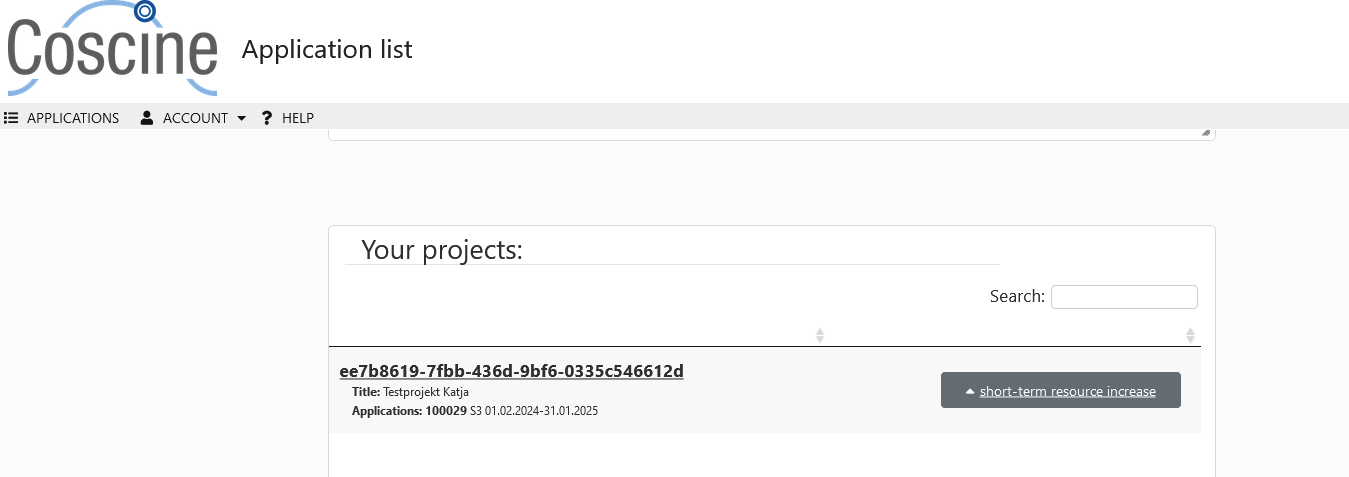
Figure 1 - 25% extension in Coscine-JARDS - Please accept the conditions (see Figure 2).
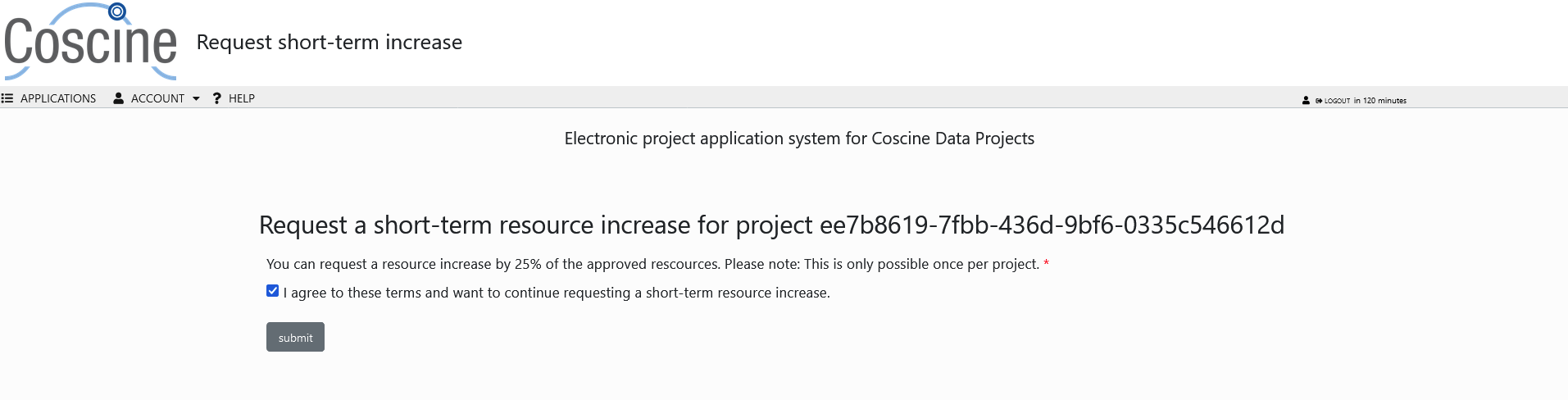
Figure 2 - Conditions for the 25% extension in Coscine-JARDS - Click on
Submit
Allocation of the storage space
-
The Coordination Team for Coscine-JARDS storage space applications will be notified of the 25% increase.
-
The coordination team checks whether the requirement that at least 75% of the project’s quota has already been used has been met.
-
Once the check has been successful, the additional storage space will be allocated.
-
You will receive an email within a maximum of two weeks informing you whether your extension has been approved or rejected.
Follow-up request for storage space
You can submit a follow-up application for a project that has already been approved in Coscine-JARDS if the additional storage space required exceeds 25% of the originally approved storage. Unlike a 25% extension, this application is subject to the review process.
Procedure
- Go to the Coscine-JARDS platform, click on
Applicationsand select the resource type to which the storage space you wish to extend belongs (Web, S3 or WORM). - Please log in, preferably via the login (SSO) or, alternatively, via the email callback.
- Under
Submitted Applications, navigate to the storage space application that has already been approved. -
Click
Copy. This will copy the information from the approved storage space application into a new one. Adjust the information as required. In addition, underProject Information(p. 4), select the option indicating that this is not the first storage space application for the respective project (see Figure 3).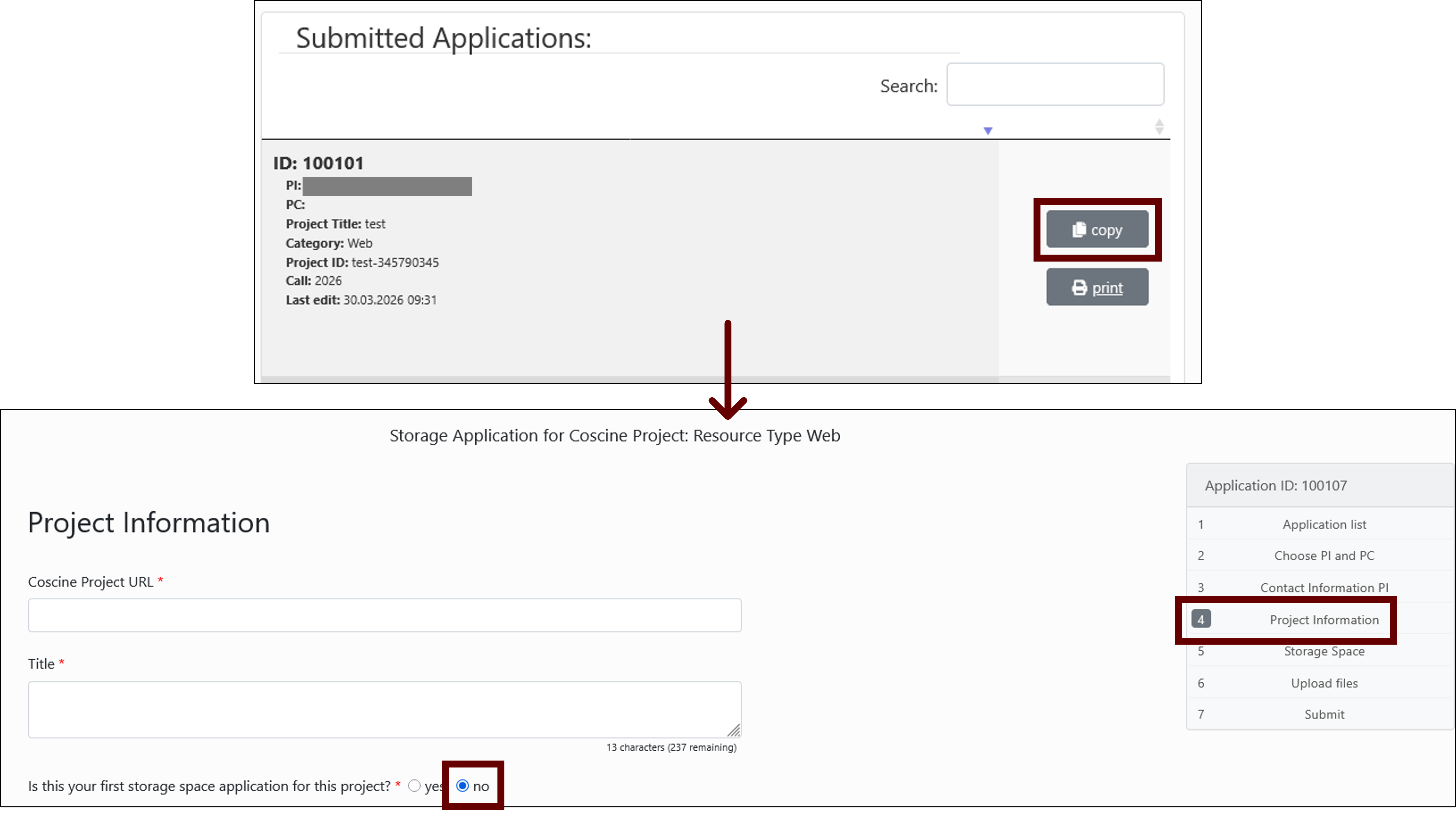
Figure 3 – Creating a follow-up request in Coscine-JARDS -
In the final step, click on
Submitto submit the storage space application. - The Coordination Team for Coscine-JARDS storage space applications checks how much of the originally allocated storage space has already been used. However, there is no fixed limit as with the 25% extension. Your storage space application will be assessed as part of the review process. If possible, the reviews will be carried out by the same people who assessed the initial application. You will be notified by email whether your application has been approved or whether a major revision (revision and resubmission) is required.