S3
DataStorage.nrw is an object-based storage system for research data.

Hint
Please use WinSCP, Cyberduck or MinIO Client according to the instructions on the respective subpages. We cannot provide support for the functionality of other applications (e.g. rclone, S3CMD).
When is S3 an option for me?
For cases where the API can or should be used, a direct S3 interface to the storage system is also available. This allows data to be written to the storage efficiently and in a standardised manner. Users who wish to carry out complex S3 operations will find an overview of the S3 policies used in Coscine here.
What changes for me if I want to use S3?
As Coscine cannot guarantee the metadata in this case, a storage space application must first be submitted describing the research data in question and how it will be ensured that this data can actually be retrieved from the storage system. This may involve local or web-based databases, but other methods of maintaining an overview are also possible. If you require storage space for S3 resources, you can find the application form under storage space management. Another use case is using S3 storage in conjunction with Jupyter Notebooks.
What happens next?
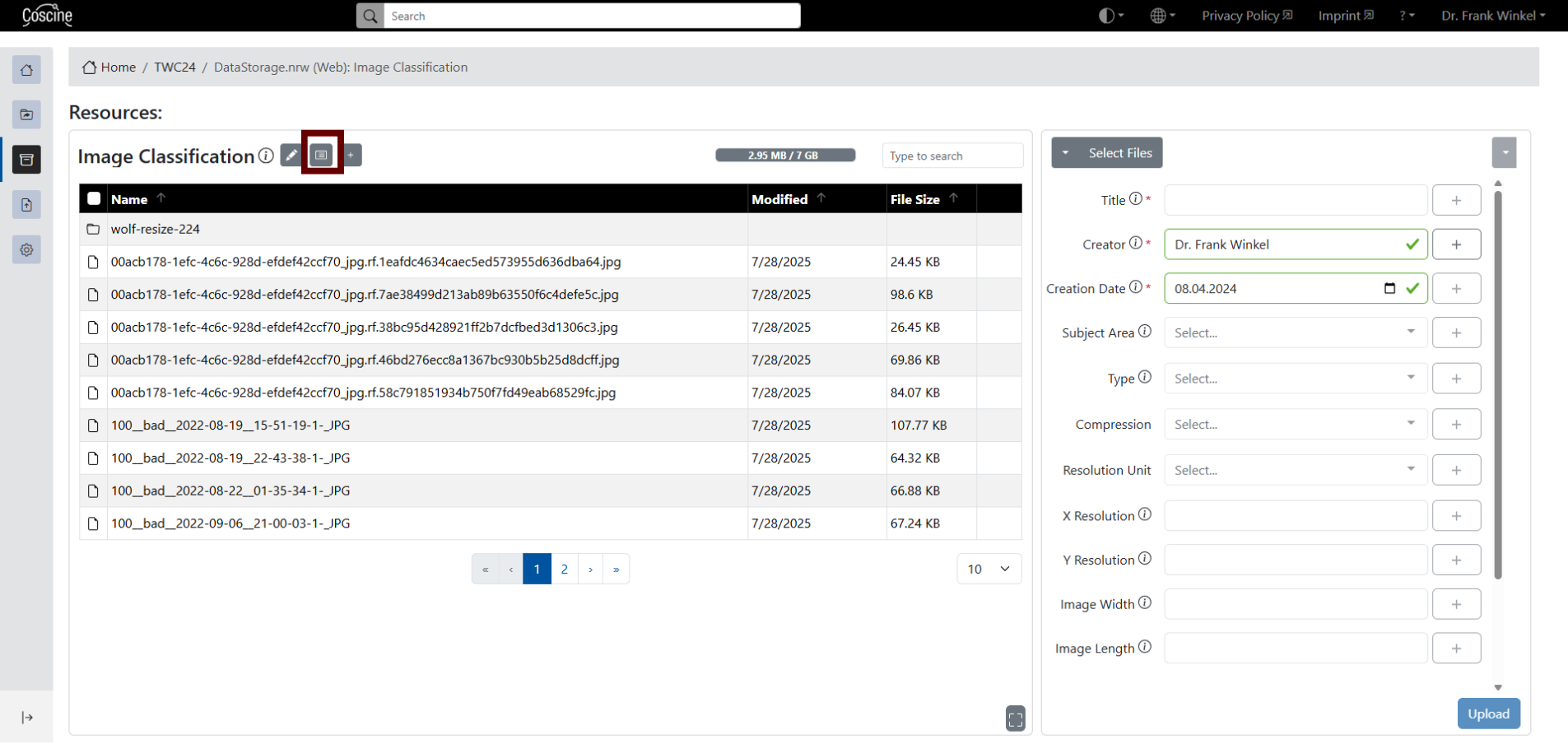
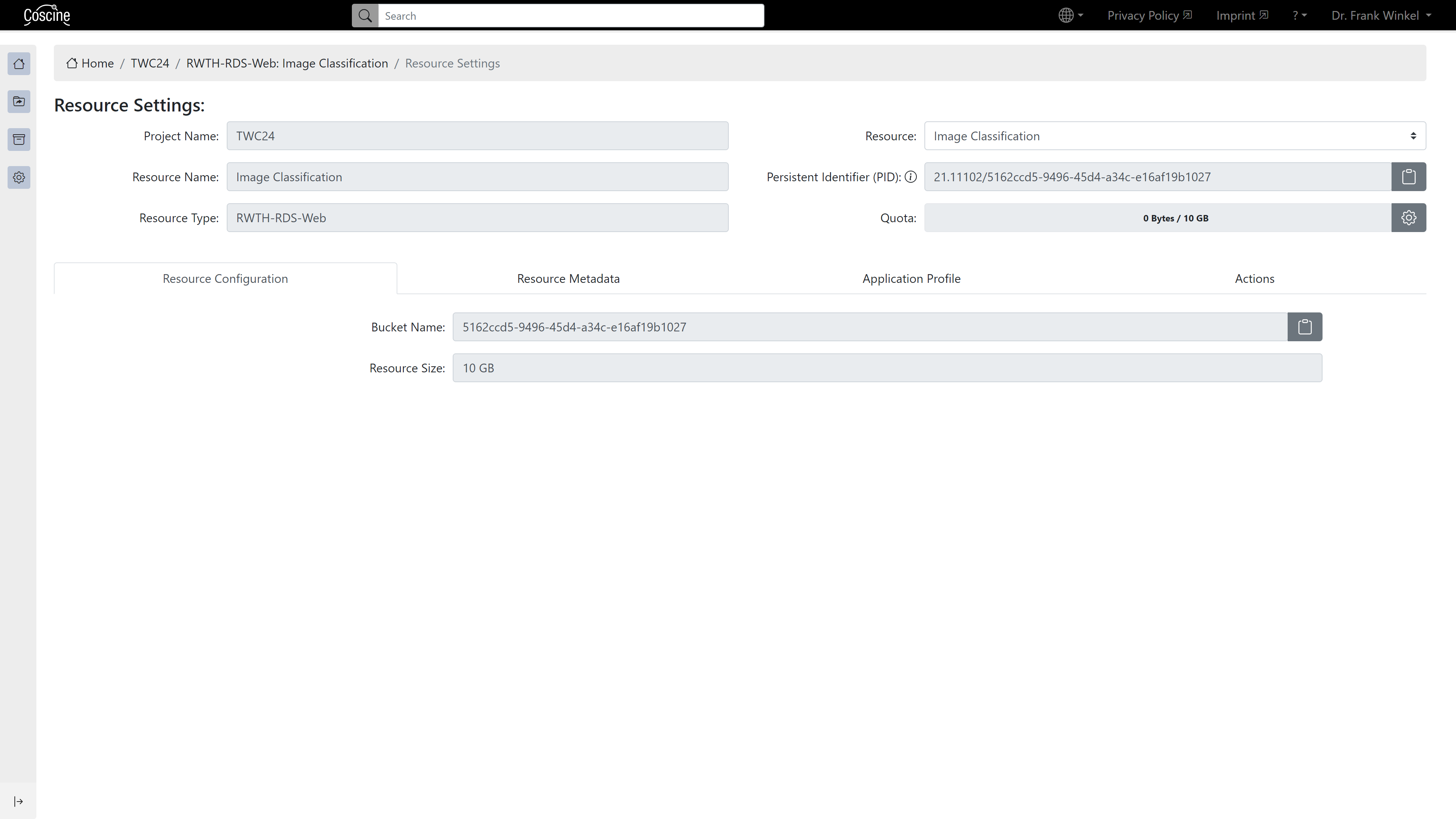
Once the storage space application has successfully passed the review process and the storage space has been allocated, you can create S3 resources within the relevant project. In the Resource Configuration tab, you will find behind the menu icon (see Figure 1) the credentials required to connect directly to the resource via the S3 protocol (see Figure 2).
Credentials Overview
To connect to S3 resources, certain data is required; the names of these may vary depending on the tool. Here, therefore, is a brief explanation of the necessary parameters and their common names.
Connection parameters for DataStorage.nrw resources
| Name | Value | Comment |
|---|---|---|
| Server or Endpoint | global.datastorage.nrw | - |
| Port | 443 | - |
| Bucket name | XXXXXXXX-XXXX-XXXX-... | - |
| Path | Bucket name | Attention! Depending on the tool, the path specification can be found in the advanced or optional settings. But it is necessary for the use of the RDS-S3! |
Hint
When connecting to DataStorage.nrw resources, it is recommended to specify the host name in virtual-host-style. Using path-style may cause connection problems.
Two pairs for access data are automatically created. One pair for read and write access and one pair that only allows read access.
| Name(s) | Value | Comment |
|---|---|---|
| Access Key (ID) | read_XXXXXX... oder write_XXXXXX | Read and Write Access Key only work with the matching Secret Key. |
| Secret (Access) Key | XXXXXXXX-XXXX-XXXX-XXXX-... | - |